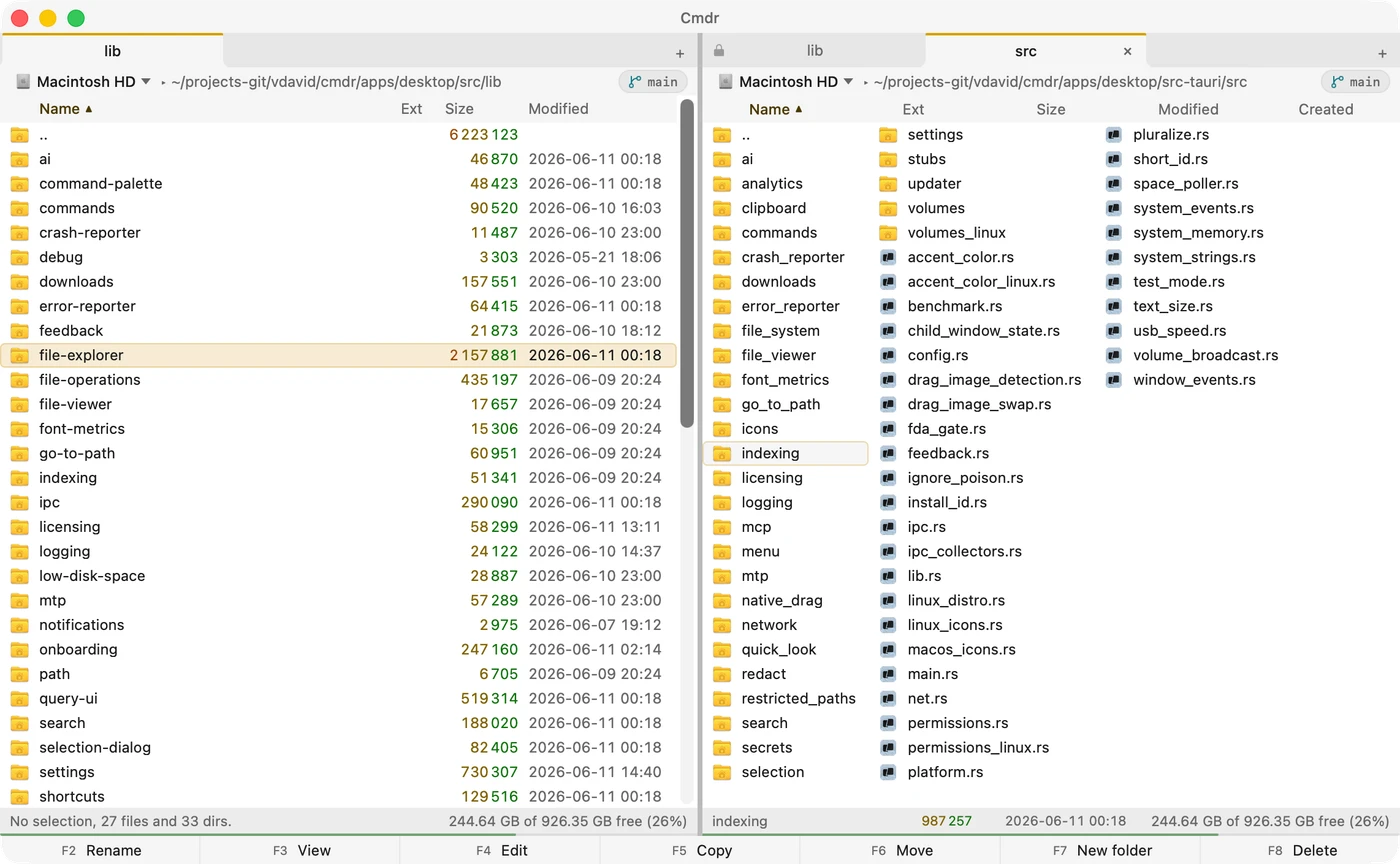
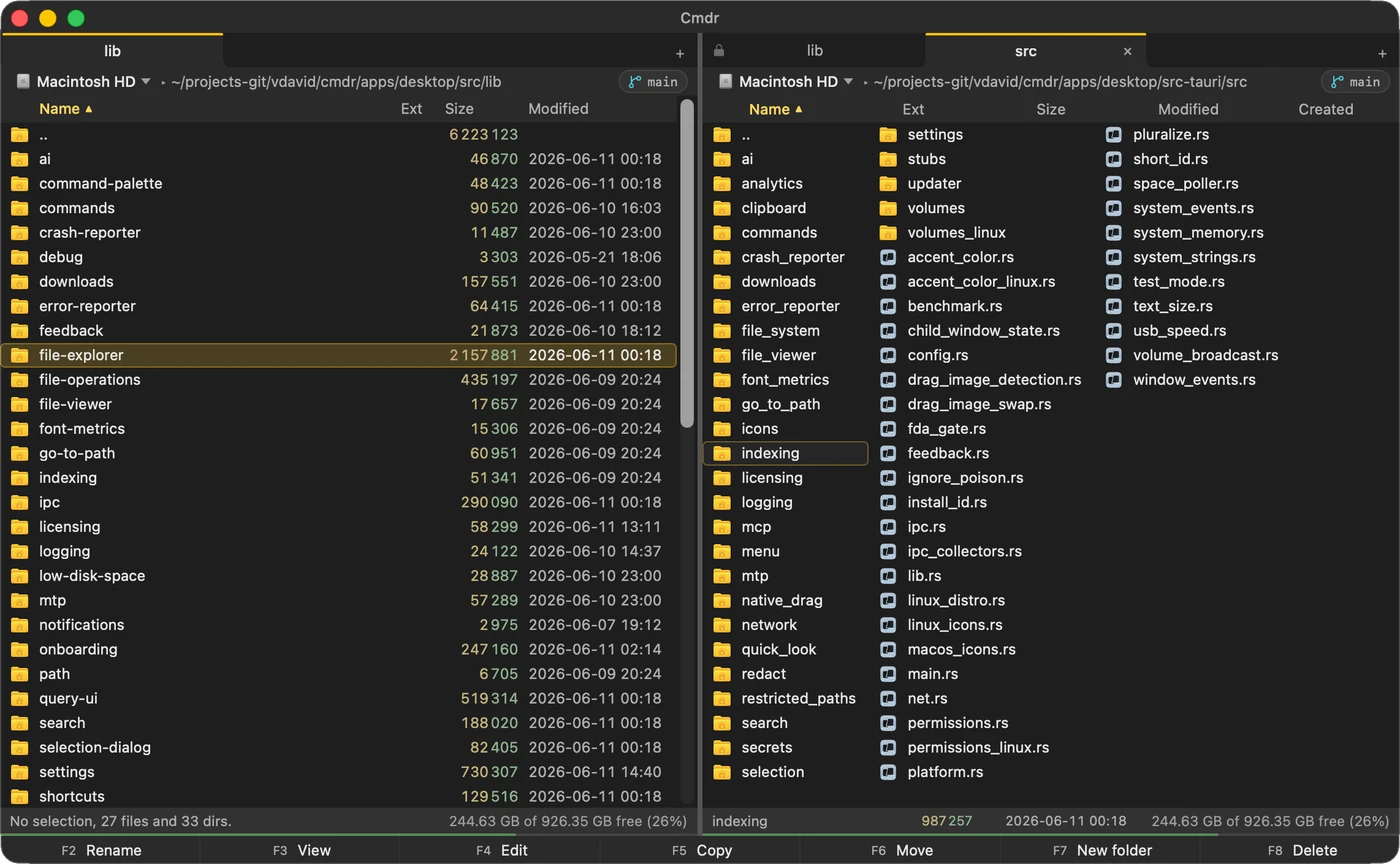
 Cmdr on macOS
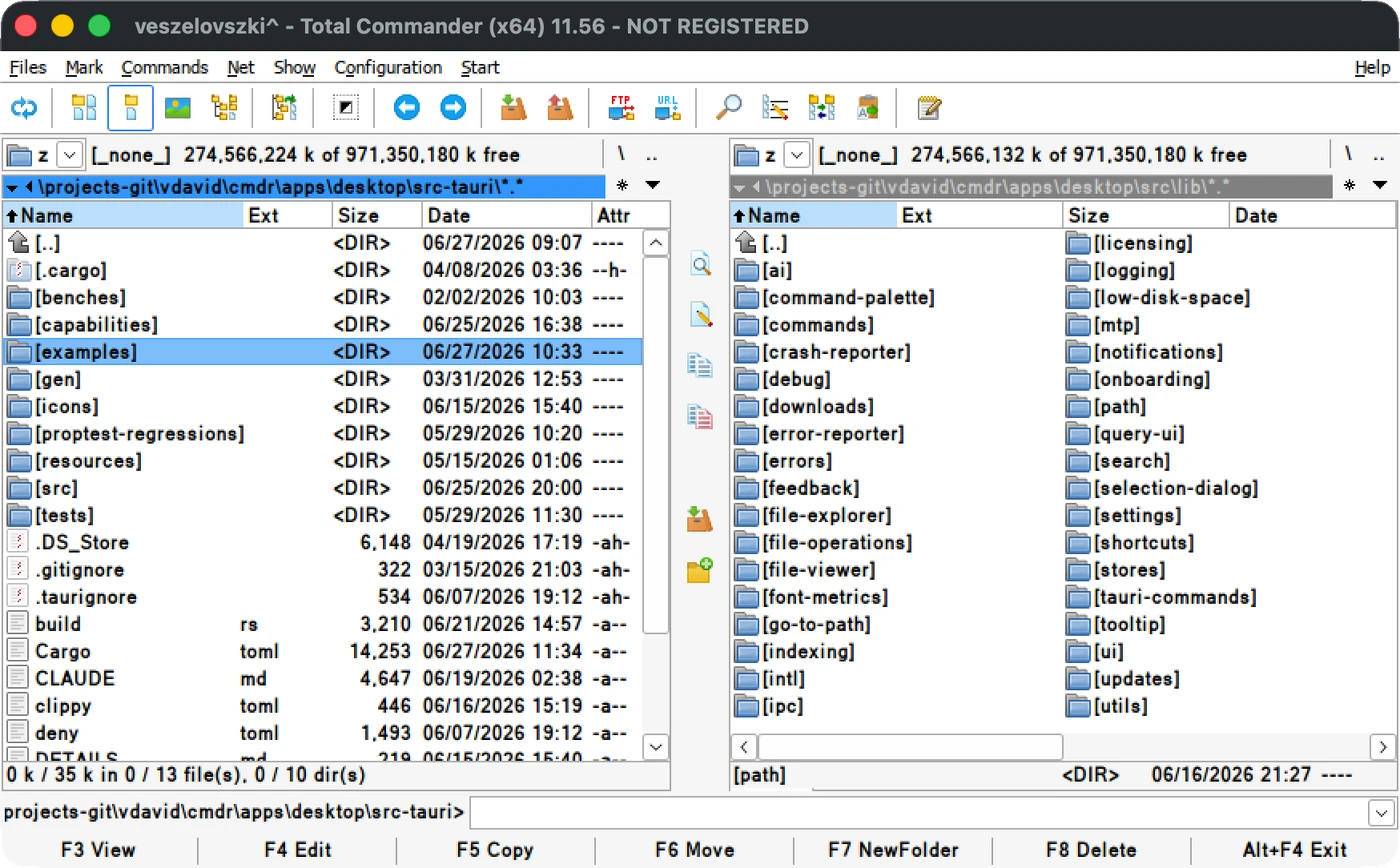 Total Commander on Windows
I have a long history with file managers, and I loved Total Commander while I used Windows. Had I not switched to macOS, I’d still be using it happily.
However, I did switch to macOS, and the two-pane, keyboard-first file managers that exist on macOS, frankly,
they all s*ck are not great.
If you’re interested, you can Apple Silicon46 MBIntel50 MBUniversal85 MB Cmdr right now.
The alternatives
I used Commander One for a while between 2022 and 2026, but as of June, 2026:
- It’s extremely slow to access SMB shares. This is important for me because I have a home NAS.
- It has a weird artifact when trying to drag files: if you don’t aim perfectly to the text parts, it starts a rectangular file selection, clobbering the existing selection.
- I once pressed delete on a 30 KB file inside a zip and it deleted all contents of my 3 GB zip with no way to recover it.
- Generally feels flimsy. For example, it happened to me a few times that after deleting some files, they remained visible, or disappeared then re-appeared.
ForkLift seems to be a top choice on macOS, and it looks very nice and modern! But when I tested it in June 2026, it turned out that:
- It doesn’t satisfy my keyboard-first requirement. I think it was made to be used with a mouse. For example: how do you switch volumes (for example, to an SMB share) in ForkLift with the keyboard? I’ve found no quick way to do it.
- It’s slow: the UI starts lagging heavily even with just 20,000 files loaded.
- It has no Brief mode, which is my preferred mode in a file manager. I like to see many files in a folder at once.
- The left+right sidebars are unnecessary to me and feel like bloat. I found no way to turn them off.
- Its UX is not great. In my short testing, I’ve managed to get it to a weird “Access denied” state while it had all the access it had asked for. I mean, it’s fine, bugs do exist, but combined with the other points, it was just the end of ForkLift for me.
ForkLift, Bloom, QSpace Pro, and Path Finder all fall into the same category for me: their software looks nice and modern, but they have a mouse-first feel and, frankly, even if they put in the effort into their designs, the UX is just not there.
I tried a few more too, between 2022 and 2026: Nimble Commander had no Dropbox sync icons and silently failed when trying to access a network drive; Marta has no Brief mode and was overall basic; Double Commander, well, while feature-rich, is just extremely ugly, sorry. :(
How Cmdr compares to Total Commander
| Total Commander | Cmdr | |
|---|---|---|
| Platform | macOS Linux Windows | macOS Linux (soon) Windows (later) |
| Two panes, keyboard-first | Yes | Yes |
| Shortcuts (F3..F8, etc.) | Yes | Yes, plus Finder’s |
| Brief and Full views, sorting | Yes | Yes |
| Built-in file viewer (F3) | Yes | Yes |
| Tabs, drag and drop, full clipboard | Yes | Yes |
| Network drives (SMB) | (if mounted) | Built-in, fast! |
| Translations (multi-language) | Yes (~45 langs) | Yes (10 langs) |
| MTP (Android, Kindle, etc. support) | Via plugins | Built-in |
| Git browser | Via plugins | Built-in |
| Command palette | No | Yes |
| Live folder sizes (full-disk index) | No | Yes |
| Natural-language search and selection | No | Yes (alpha) |
| Free for personal use | No (~$50) | Yes! ($59 once for work) |
| FTP/SFTP | Yes | Coming soon |
| Archives (zip, tar, etc.) | Yes | Coming soon |
| Batch rename | Yes | Coming soon |
| Folder sync | Yes | Coming soon |
| Plugins | Yes | Coming soon |
The most important similarities
- Both are very fast from the ground up
- They share shortcuts: not just F3..F8, but all the nuanced ones as well.
- Dual-pane, keyboard-first approach, full clipboard support, tabs
- Full mode, Brief mode, sorting.
- Both work well with the mouse, including in-app and cross-app drag and drop.
- They are both fully multilingual, translated into many languages.
- They both have a built-in file viewer (F3).
Where Total Commander is better
- Total Commander works on Windows. I might port Cmdr to Windows eventually, but focusing on macOS for now.
- Total Commander is 20+ year old software. It’s very mature and rock solid. I love Total Commander. ❤️
- It has tons of functionality that Cmdr doesn’t have yet: batch rename, folder sync, FTP/SFTP, archive handling, plugins, and several others. Again, very mature and feature-packed.
Where Cmdr is better
- Well, it’s available on macOS. In addition, Cmdr is cross-platform from the ground up: its first target is macOS, but it already builds fully for Linux (not yet a supported release), and it’s not too hard to add Windows support.
- Cmdr meets user expectations on macOS with modern looks, a command palette, and great, transparent UX.
- Cmdr is written in Rust. It’s not something visible, but it makes Cmdr really performant, solid, and safe.
- Cmdr has live drive indexing which means that it shows the sizes of all folders, live, always. It also makes searches immediate, and unlocks features like great live context for AI-initiated, human-supervised file organization.
- Cmdr has built-in MTP (Android, Kindle, cameras, etc.) support. This is actually quite unique on macOS.
- Cmdr has built-in Git support: you can browse your git history, branches, and stash like folders.
- A ton of (optional and privacy-first) AI features are coming to Cmdr, with some of them like natural language search and a built-in MCP server already implemented. The right use of an LLM built into the core of the app can make a lot of tasks a lot easier.
- Cmdr also implements Finder’s shortcuts, so it’s easier to use for people who come from Finder and other macOS file managers.
- Cmdr is free for personal use! Total Commander costs about $50 after 30 days of use. (I mean, you can use it, but they literally write “you must pay or delete it after 30 days”, so usage after that is illegal.)
Verdict
Well, honestly, this is not a real comparison, right? Like, Total Commander is Windows-only, Cmdr is macOS-only right now. So these are not alternatives in the usual sense.
If the question is should you switch from some other software that you use because you would love TC but you live on a Mac now, well, the answer is that absolutely, you should Apple Silicon46 MBIntel50 MBUniversal85 MB and give me a ton of feedback so I know what works, what doesn’t work, and what you want. Then we can make Cmdr something even cooler.
All in all, Cmdr is what I wish Total Commander would be in 2026, if it supported macOS.
If this article made you interested and want to try it, Apple Silicon46 MBIntel50 MBUniversal85 MB.
Comments