Last night around 1 am (as you do), I was thinking about displaying dir sizes.
First I thought I’d just do what all file managers do and only measure one at a time, and only on request.
Then I wondered: “what if I used a file watcher to keep the results live?” And then it came to me: hey, what if I scanned the entire drive on startup, and then watched for changes? That gives you a live index of the whole file system, sitting in memory or a small DB.
I thought there obviously had to be some technical limitations that prevent this. But I asked the robots anyway whether we could do it, and waited for the results half-asleep. Then they came back saying yessir, we can actually do this!
Why I’m so excited
There are currently three features missing from the Cmdr MVP: delete, tabs, and showing dir sizes. So I was thinking about dir sizes. I’m leaving delete for last because, you know, I want to make the app super safe before I let it delete my files. 😬
So anyway, dir sizes. If you’ve ever used a two-pane file manager (or even just Finder), you know the pain: all the
“size” column says for folders is <DIR> or --, and you have no idea if a folder is 5 MB or 50 GB until you press
some keys or right-click and wait a bunch.
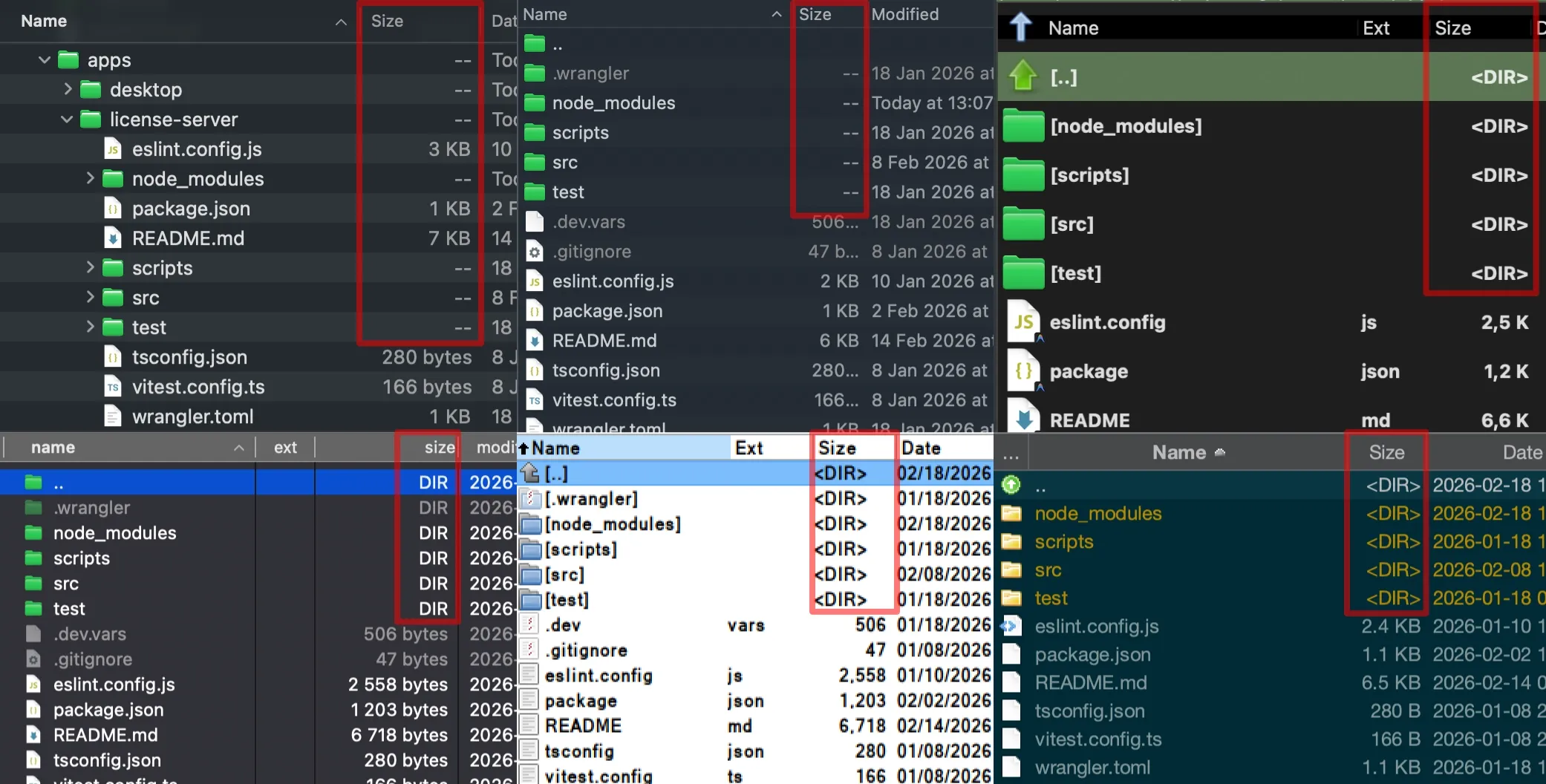
But then, it’s 2026! Can we do better? Turns out we can!
You only need to scan once and watch: the OS provides all the tools. It doesn’t even take that long: a few minutes of scanning, once. The app works during the scan. It even prioritizes your current dir and your selections, while running the full scan in the background. It’s fast, takes almost no CPU, next to no battery, and I’ll use a small DB, so it won’t even take up much RAM.
Then, with the live index, Cmdr can show directory sizes everywhere, all the time, and they’re always up to date. The realization that this is possible already gave me goosebumps. But then I realized what else this unlocks:
- Instant search across your entire drive. No waiting for a search from scratch or Spotlight. Just type what you need and find your files, pretty much immediately.
- GrandPerspective-style treemap visualizations so you can see what’s eating up space in any folder, right inside Cmdr.
No need for separate search apps anymore. No need for a separate disk visualization tool either. It’ll be all built in!
And the best bonus that I wasn’t even hoping for: apparently, this might even work on network drives (SMB shares) too!
Why doesn’t everyone do this?
Good question. A few reasons I think:
- Most file managers rely on Spotlight for search. But Spotlight doesn’t index hidden files, app contents, or system dirs. And some people (me included) have it turned off entirely because it hogs resources.
- It’s a bit tricky to implement. You need to scan the drive and start watching for changes at the same time, then reconcile the two. It’s not rocket science, but it’s not trivial either, and you need to get the edge cases right.
- There are dedicated apps for this. I found Cardinal, Cling, and KatSearch. They’re probably great search tools, but I’ve never used them. I prefer not running another app to search for files when my file manager is always open anyway. I want this built in!
The numbers
I have about 1.8 million files on my Mac and another 1.2 million on my NAS. That’s 3 million files total. I just counted. So here’s what I expect:
- Initial scan: ~2–3 minutes in the background for my main drive, then probably like 10 minutes for the NAS. I can use Cmdr normally while it’s running. Scanning takes one CPU core, which is fine. Battery-wise, it’s nothing.
- Storage: the SQLite index will probably be around 1–2 GB on disk. Not in RAM. On disk. Memory footprint stays small, and that disk space is well worth it. You’ll be able to turn it off if you disagree anyway.
- File watching: It’s a free lunch. The app only subscribes to events that the OS already fires.
What’s next
Today I built this blog engine to post about it. Tomorrow I’m building the feature! I’ll add the scanning and live dir sizes. Search will probably be a follow-up after the MVP, then the treemap viz a bit later.
Honestly, I’ve been excited about several Cmdr features (the built-in MCP server was one of them), but I think this one is what I’m most pumped about so far!
Comments